

Short answer: Keep all your notes in the default Notes folder and organize them with tags, Smart Folders and one pinned start note. These tools work the same on iPhone, iPad and Mac and sync through iCloud, so you set them up once.
The tools Apple Notes gives you
- Tags are # words inside a note, like #recipe or #work. A note can have many.
- Smart Folders gather every note with a certain tag in one list.
- Pinned notes stay at the top of the list.
- Search looks through the text of every note and your tags.
- Folders exist too, but you don't need more than the default one. More on that below.
Step by step
- Keep everything in the default Notes folder. Don't create extra folders. On iPhone, iPad and Mac, every iCloud account already has a folder called Notes.
- Tag your notes. Type # followed by a word anywhere in a note, for example #recipe. When you finish typing, the tag turns into a link. This works the same on every device.
- Make a Smart Folder for tags you use often. On iPhone and iPad, open the Folders view, tap the New Folder icon, choose New Smart Folder, name it, pick the tag under Choose Tags, and tap Done. On a Mac, choose File > New Smart Folder.
- Pin the note you open most. On iPhone and iPad, swipe right on it in the notes list and tap the pin. On a Mac, Control-click the note and choose Pin Note.
- Use search for everything else. On iPhone and iPad, swipe down in the notes list to show the search field. On a Mac, use the search field at the top of the window.
Your tags, Smart Folders and pinned notes sync through iCloud, so you only set them up once.
Why one folder is enough
Folders feel tidy, but notes get buried in them, and you have to remember where each one lives. There is also a practical catch: when you create a new note from a link inside another note (typing >>), Apple Notes puts it in the same folder as the original. With many folders, new notes end up scattered. With one folder, tags and Smart Folders do the sorting for you.
Where Forever ✱ Notes fits
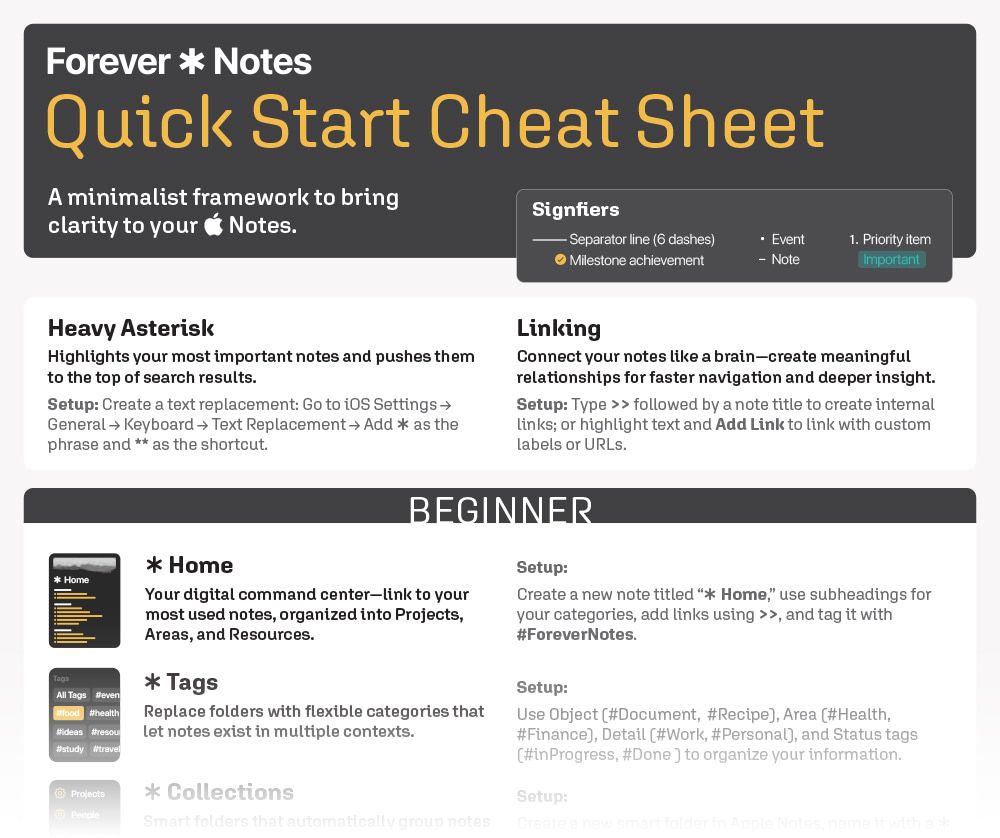
Forever ✱ Notes is a free framework built on exactly this setup: one default folder, no folder tree. A pinned ✱ Home note is your start page. ✱ Tags label every note. ✱ Collections are Smart Folders for the tags you use most. ✱ Hubs link the notes on bigger topics like Health or Finance. The free Create ✱ Home Note shortcut sets up your Home note for you.